

Why SCIM
Without SCIM, env zero only syncs user access when someone logs in. That means if you offboard an employee in your IdP, they still have access to env zero until their next login attempt. SCIM fixes this by keeping your user directory in sync continuously - access is granted or revoked as soon as changes happen in your IdP.Key benefits
- Immediate deprovisioning - When you remove a user in your IdP, their env zero access is revoked right away, not at next login
- No manual user management - New team members get env zero access automatically when added to the right groups in your IdP
- Single source of truth - Your IdP stays the authoritative record for who has access to what
Beta Feature - SCIM Provisioning is currently in beta. We’re actively improving the feature and welcome your feedback.
Overview
SCIM (System for Cross-domain Identity Management) is a standard protocol that enables your identity provider to automatically provision and deprovision users in env zero.Prerequisites
- SSO must be configured - SCIM provisioning is only available after you set up an SSO connection (SAML or Azure AD)
- Edit Organization Settings permission is required
Setting Up SCIM
Navigate to SSO Settings
Go to Organization Settings > SSO. Below your SSO connection, you’ll see the SCIM Provisioning section.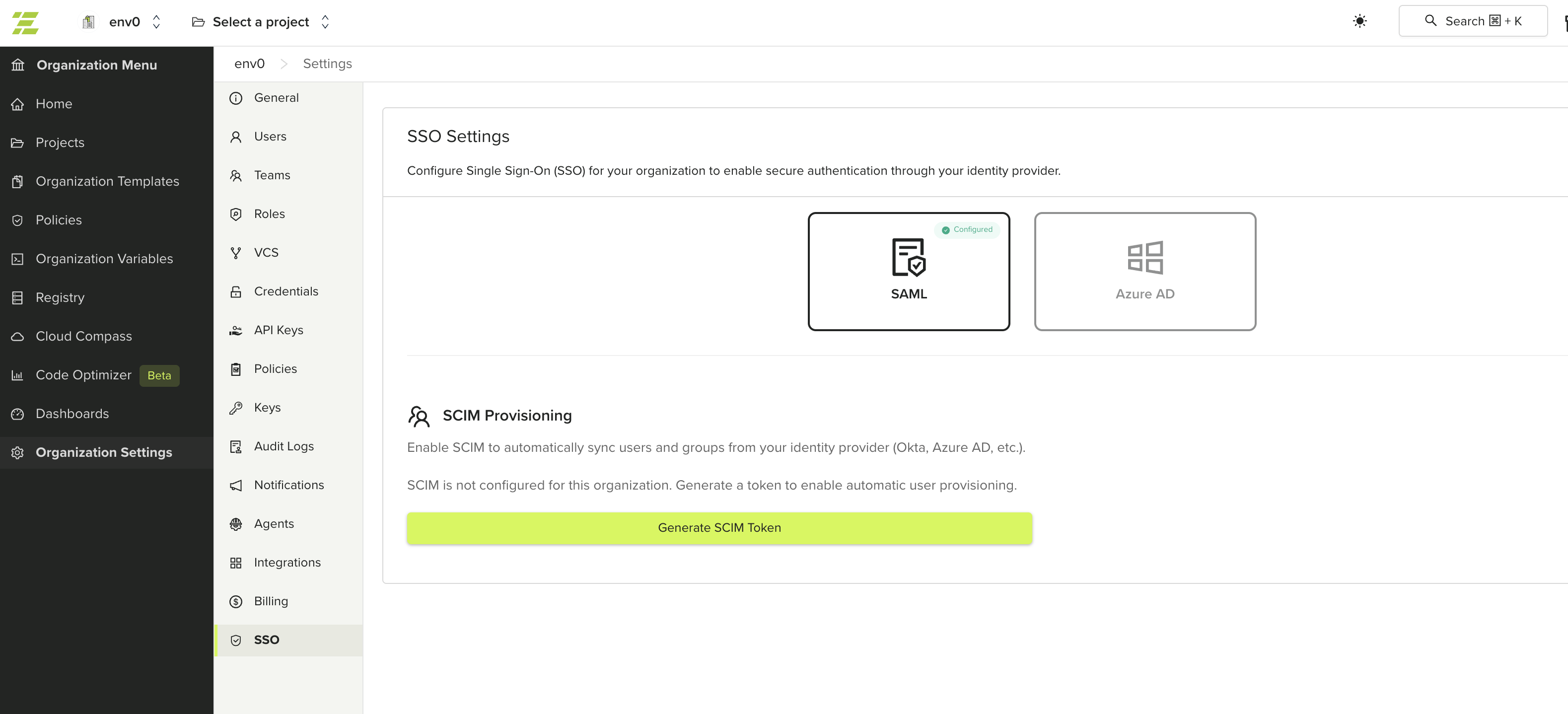
Generate a SCIM Token
Click Generate SCIM Token. This creates a bearer token and SCIM endpoint URL for your organization.
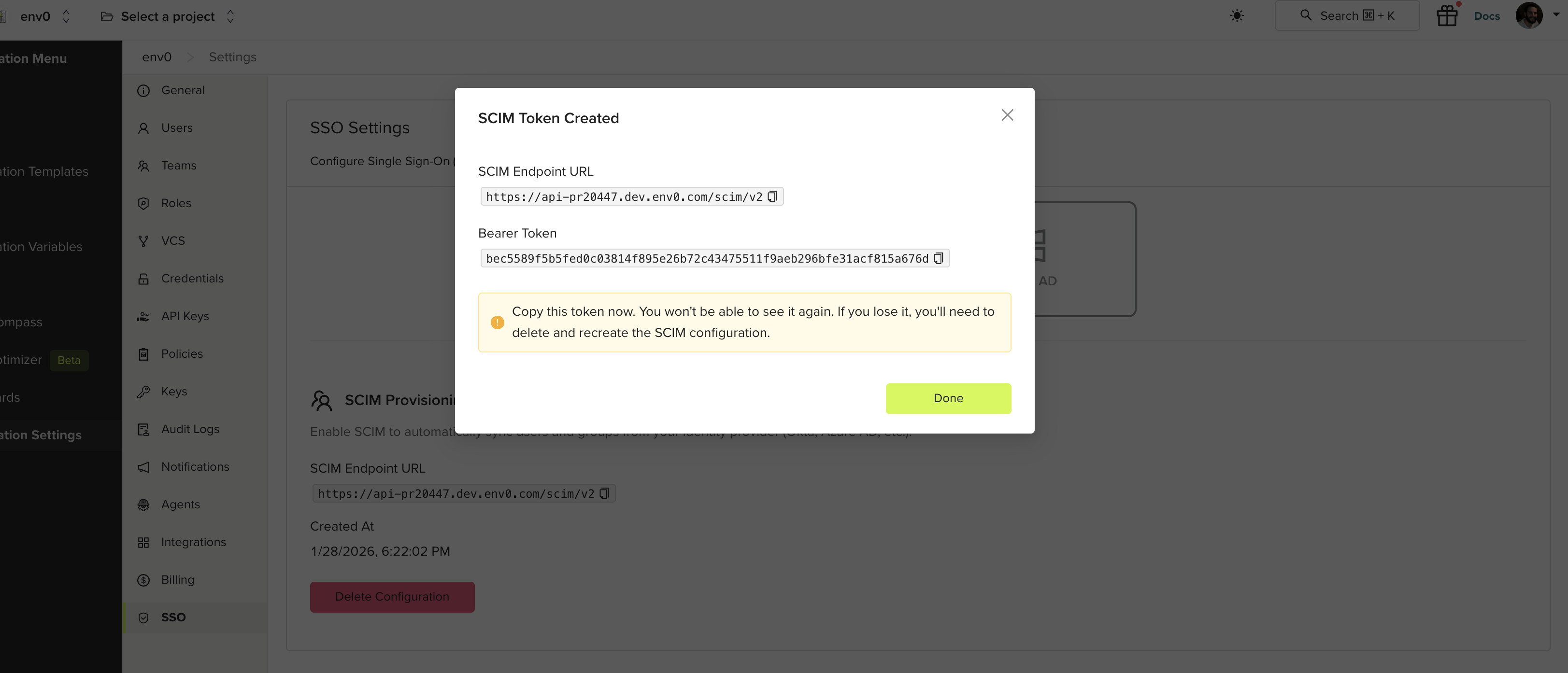
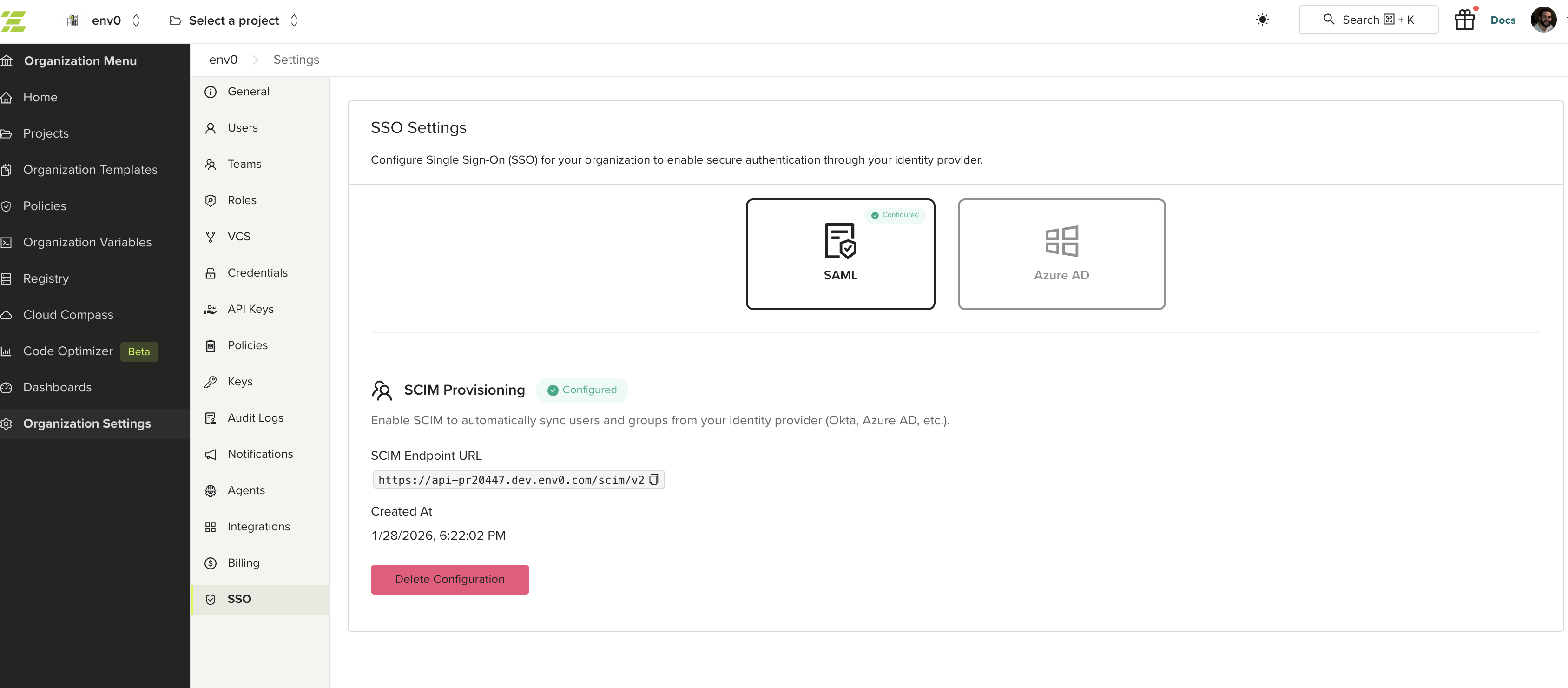
Configuring Your Identity Provider
Use the SCIM Endpoint URL and Bearer Token to configure provisioning in your identity provider. See your IdP’s documentation for SCIM setup instructions:- Okta - Configure SCIM provisioning in Okta
- Microsoft Entra ID (Azure AD) - Configure SCIM provisioning in Entra ID