

Overview
env zero enables applying approval policies for the environments managed using the app. env zero uses the Open Policy Agent engine for enforcing policies when an environment is deployed. Open Policy Agent uses rego files to define the required policies. env zero expects the user’s files to be within a repository, not necessarily the deployed environment repository. During the deployment, after the plan and cost estimation steps, a step for policy approval will be run, and the deployment may continue, wait for further approval, or get canceled, according to the output of previous steps and other data such as the type of deployment, users involved, or IaC.Enable approval policies step
Template approval policies
You can assign multiple approval policies to a single template. In the template settings page, under the advanced section, click the + Add Approval Policy button: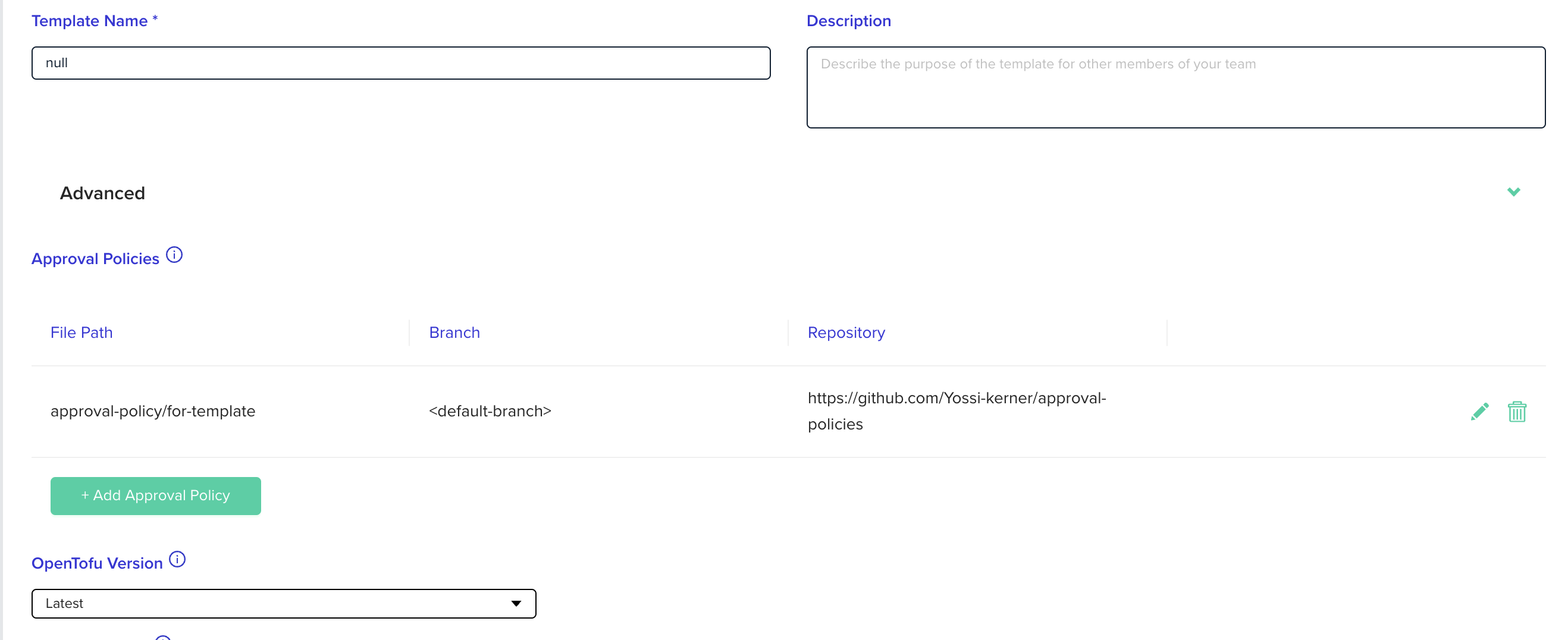
Approve plan automatically checkbox disabled.
Project approval policies
You can assign multiple approval policies to a single project. Those approval policies will be inherited by sub projects. In the project settings page, go to the POLICIES tab and click the + Add Approval Policy button: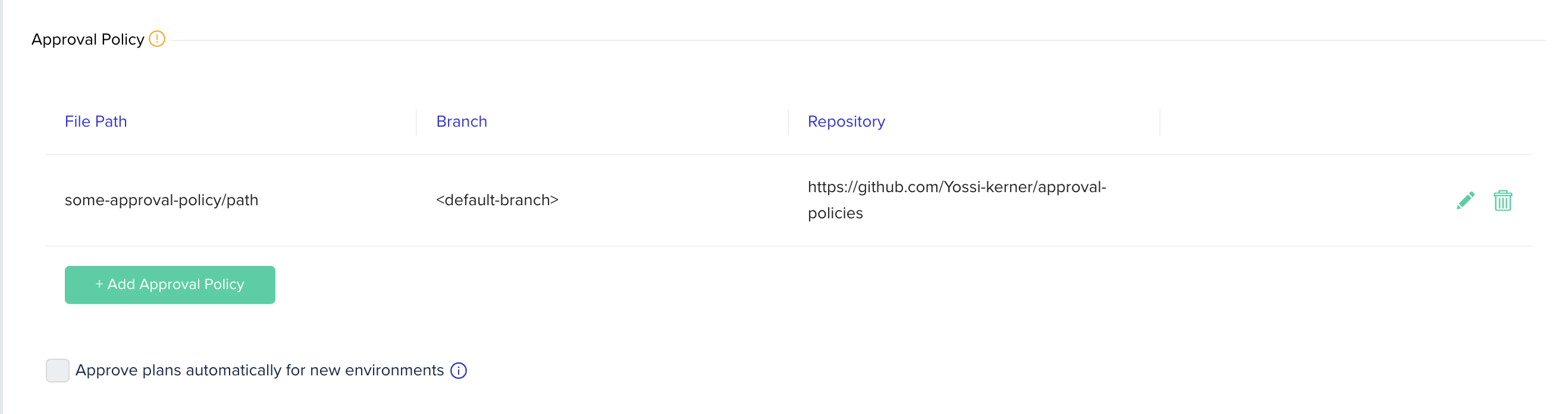
Approve plan automatically checkbox disabled. In those cases, the Approve plans automatically for new environments checkbox in project policies settings page will also be disabled.
Repository Configuration
Configure the repository for the repository that contains therego files for the desired policy. If the files are located within a directory, specify the folder path too.
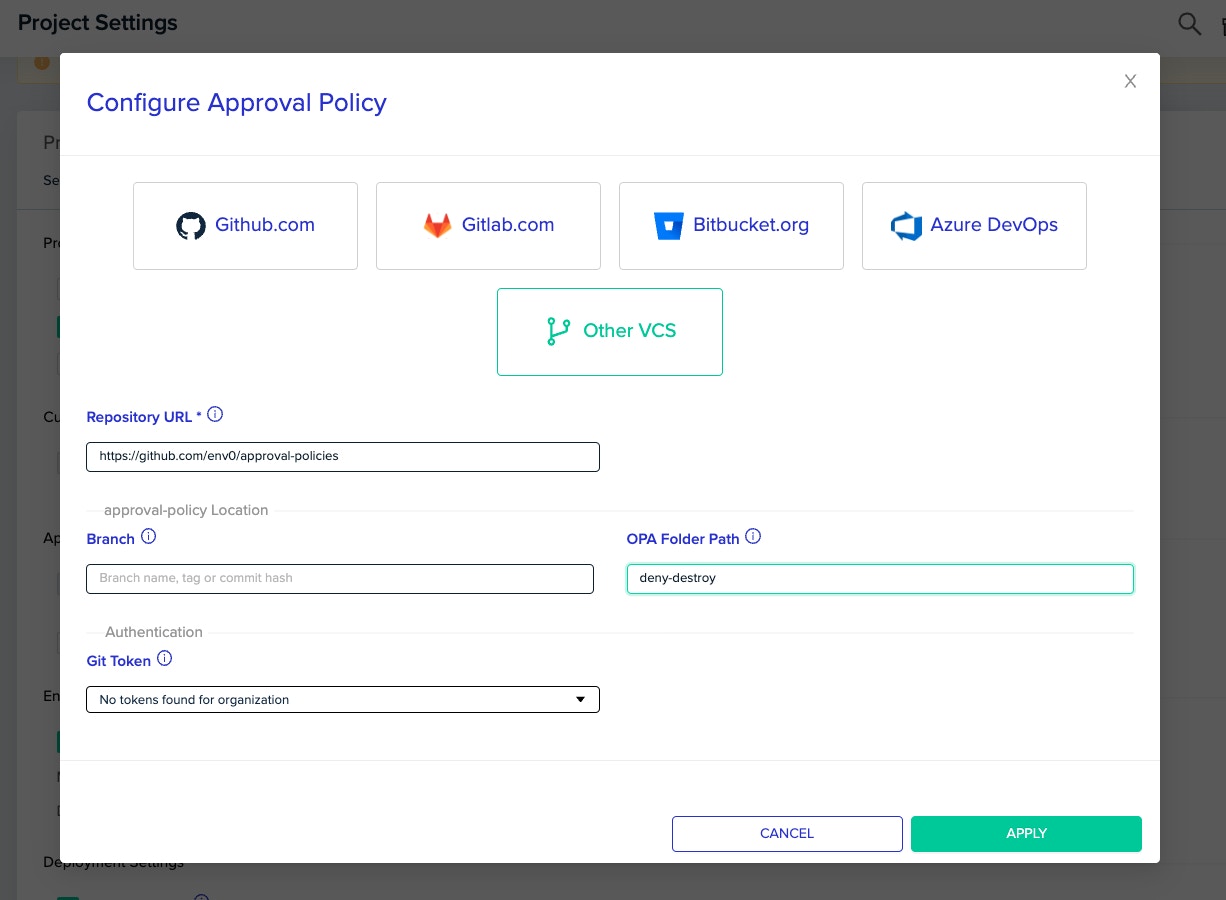
Actions that enforce policiesPolicies are enforced only when an environment is about to get deployed or destroyed. Tasks, PR plans and other actions are not enforcing policies.
Input by env zero
The input env zero generates based on the deployment is of the following structure:Text Input structure
deploymentRequest:type: The action that caused the deployment. Can bedeploy,destroy,deployResumeordestroyResumetriggerName: The trigger for the deployment. Can becd,user,ttl,scheduled,workflow,driftRemediation,terraform-cliorcommentrevision: The revision that this specific deployment uses to clone the data from. May be missing if no revision is stated for the deployment or as a default for the template.
templateid: The template’s unique id.name: The template’s name.type: The type of the template, i.e. what IaC tool is used to deploy the resources. The value can be one of the following:opentofu-terraform-terragrunt-pulumi-cloudformation-k8s-helmrepository: The repository URL of the template.path: The path within the repository to the relevant files.revision: The revision that the repository’s code will be cloned from. It may be missing if no revision is set for the template.
costEstimation: An object that describes the projected changes in the cost once the changes are approved. Cost estimation must be enabled and the template type supported to have correct values.plan: An object representing the speculated changes that the deployment will cause once approved. See Plan format by IaC type for details.deployerUser: An object containing the name, email and teams of the user that created the environment and made the first deploymentapprovers: An array of users and their teams that approved the changes to the environmentvariables: The variables used by deployment, divided by type. (e.g.variables.environment.MY_VAR_1.env0will contain the environment variables automatically added by env0. Listed in Custom Flows.
policyData: Any custom data provided by the user (see Adding custom data)
Plan format by IaC type
Theplan field format depends on the IaC tool used by the template:
| IaC Type | Plan Format |
|---|---|
| OpenTofu / Terraform | Standard plan JSON — see OpenTofu JSON plan representation |
| Terragrunt (single module) | Same as OpenTofu/Terraform |
| Terragrunt (run-all) | A modules map — see Terragrunt run-all plan format below |
| Pulumi | Requires version >= 3.105.0. For deploy: Pulumi update plan format. For destroy: same as pulumi destroy --preview-only --json output |
| CloudFormation | For deploy: DescribeChangeSet. For destroy: ListStackResources |
| Other (k8s, helm, etc.) | null — only the other input fields should be used |
Terragrunt run-all plan format
For Terragrunt templates configured with run-all, theplan field contains a map of each module’s plan:
is_run_all: Alwaystrue, indicating this is a run-all plan. Use this flag to distinguish from single-module plans.modules: A map where each key is the module’s relative path and each value is the full OpenTofu/Terraform JSON plan for that module.
Modules that failed to produce a plan output will be excluded from the
modules map. A warning will appear in the deployment logs if this happens.Print the full inputIf you need to debug your policy, env0 will print the full input to the approval flow logs by using
ENV0_PRINT_POLICY_INPUT=true environment variable.Adding custom data to the policy input
Additional input can be provided by the user, by supplying theENV0_POLICY_DATA_PATH environment variable with the path to a JSON file.
- The file can be in the cloned repository, or created dynamically by a custom flow.
- The contents of the JSON file will be available in the input under the key
policyData. - In case there is an error reading the file, the
policyDatawill beundefined
Expected rules format
Rego FilesYour Rego files should be under the env0 package. In addition, Please make sure that your rego files are using “package env0” in order for approval flow to work correctly.
-
deny: The deployment will be cancelled. -
pending: The deployment will stop and wait for user approval. -
warn: The deployment will continue with a warning. -
allow: The deployment will continue. If no rules are met, the default behavior ispending.
deny and another outputs pending, the deny will take place and we will cancel the deployment.
Examples
Policies
There are many cases where approval policies may be useful:- Requiring more than a certain threshold of approvers
- Deny any change that its expected cost cross a predefined limit
- Prevent removing critical resources from an environment
- Allowing only a sub-set of users to change specific resources within an environment
Full input examples
You can print the full input to the approval flow logs by settingENV0_PRINT_POLICY_INPUT=true as an environment variable.
OpenTofu / Terraform
plan schema, see the OpenTofu JSON plan representation.
Terragrunt run-all
CloudFormation
For CloudFormation deployments, theplan field contains:
- Deploy: The DescribeChangeSet response
- Destroy: The ListStackResources response
Terragrunt run-all policy example
Useinput.plan.is_run_all to detect run-all plans in your policies. For example, to deny if any module creates a public S3 bucket:
Deployment Pending Approval
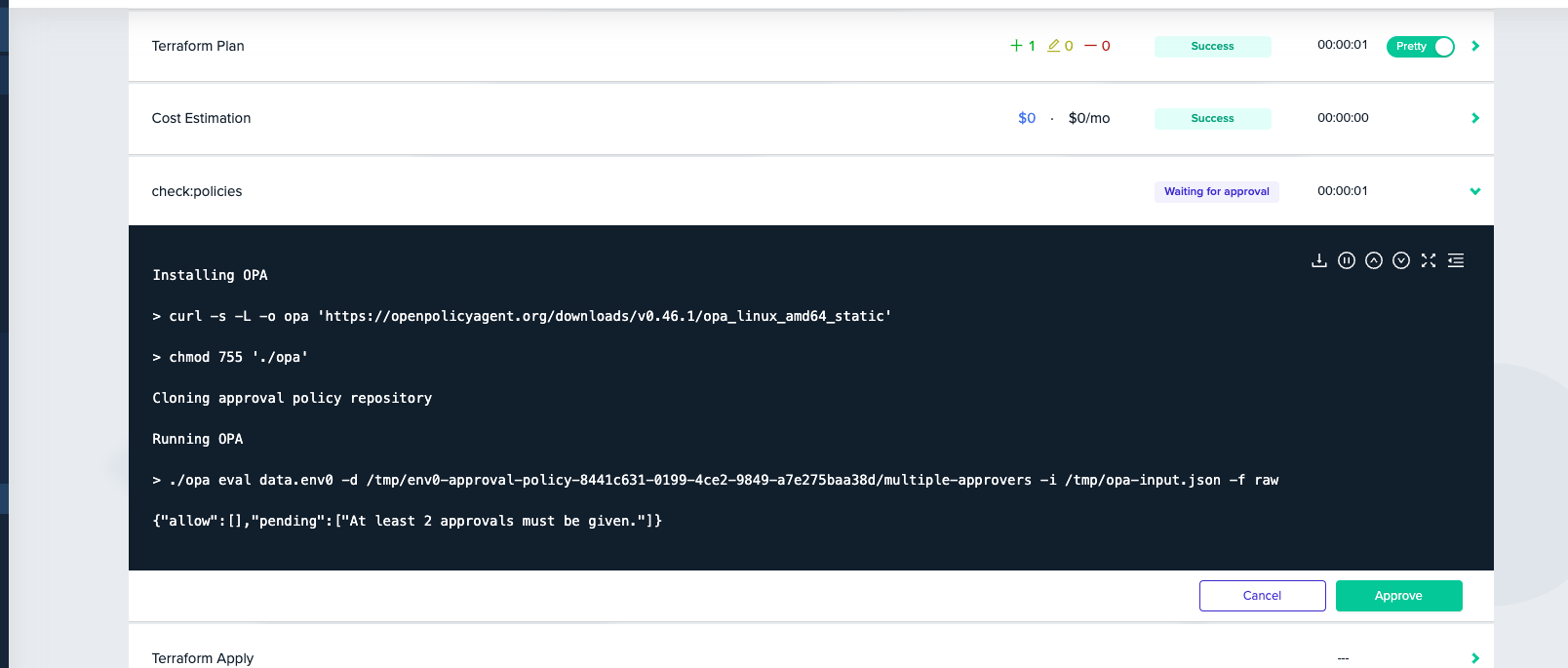
pending. Once the deployment is approved twice, this step will be passed and the apply step can start.
Using a specific OPA versionYou can choose a specific OPA version to use with the
ENV0_OPA_VERSION variable.